

What it does
The connector sends content from your Contentstack stacks to TranslationOS for human or machine translation, and writes the translations back into the matching locale entries. It is event based. Nothing is polled on a schedule, so a request starts the moment you ask for one.Two ways to request a translation
You can use either method, or both at the same time on the same stack.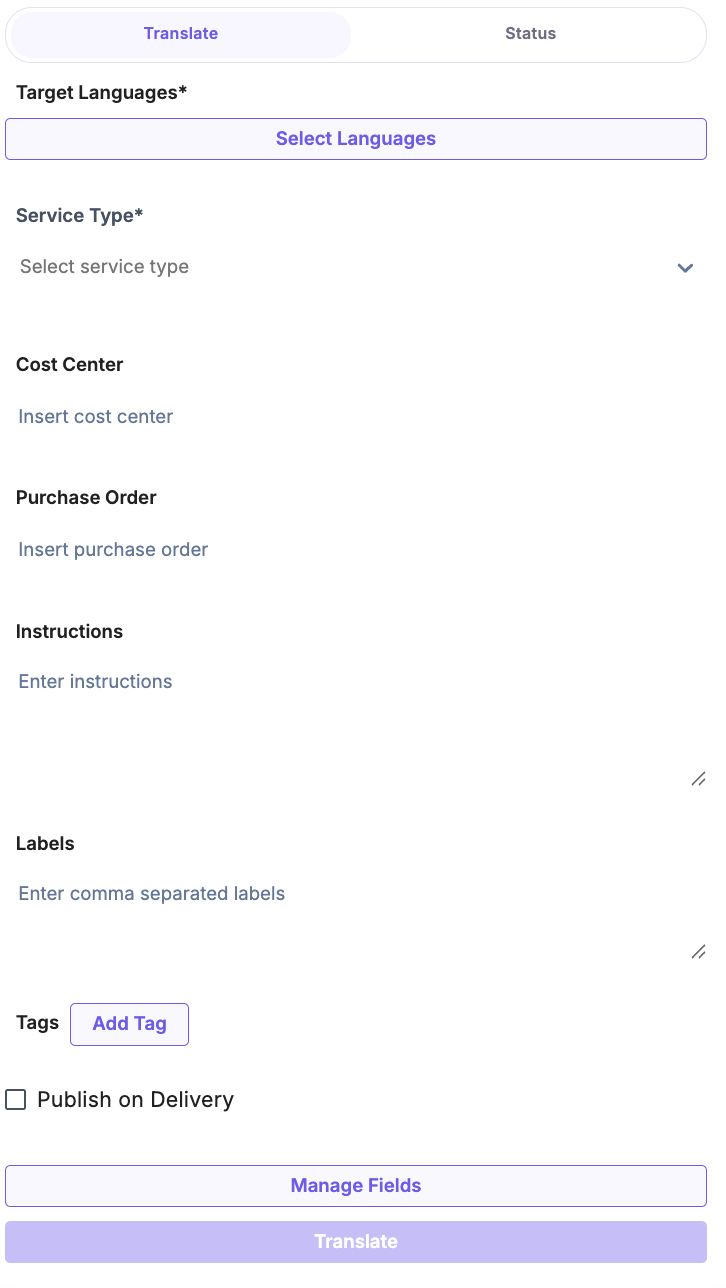
The Translated app in the entry sidebar: languages, service type, and the optional fields.
How content is handled
Each translatable field in an entry is sent as its own translation request. Each field is treated as the content type it actually is, whether that is plain text, Markdown or HTML. Progress is tracked field by field, and partial updates do not force a full retranslation.What gets translated
Rules that apply on top of field type
- Fields marked Non-localizable in your content model are never sent.
- Field visibility rules are not applied. A field hidden in the editor is still sent if it is localizable.
- Reference fields are followed only when reference depth is set above zero on your account. The connector then scans until no further references are found and sends each referenced entry once.
- Maximum character counts set in your content model are respected. Minimum counts are not. Not every Contentstack field type allows a character limit.
Limits
Before you start
You need a Contentstack admin account for most of the setup. Have these ready:- Your Contentstack API base URL
- The full list of source and target languages, for every stack
- A translation workflow with three consecutive stages
- Your stack API key, for every stack
- A management token, if you will work through workflow stages without the app
- The environments translations should be published to, if you want automatic publishing
Where to go next
Set up the connector
Step by step, from first contact to your first request.
Request and track translations
Day to day use, and what to check when something looks wrong.