

1
Check your plan
The translation API requires a Business plan or higher. Confirm this before anything else, since nothing else works without it.
2
Generate a personal token
- Click your profile icon and select Your settings.
- Choose Personal tokens in the sidebar.
- Click Generate a new token.
- Name it and enable the required custom scopes.
- Generate it and copy it immediately. It is not shown again once you click Got it.
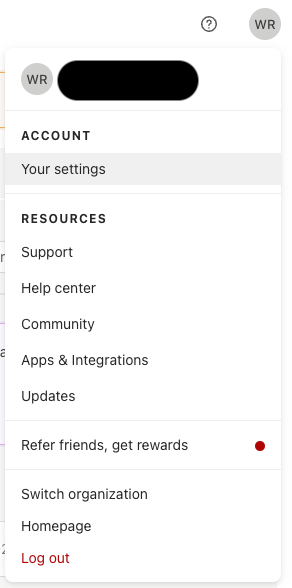
Your settings, from the profile menu
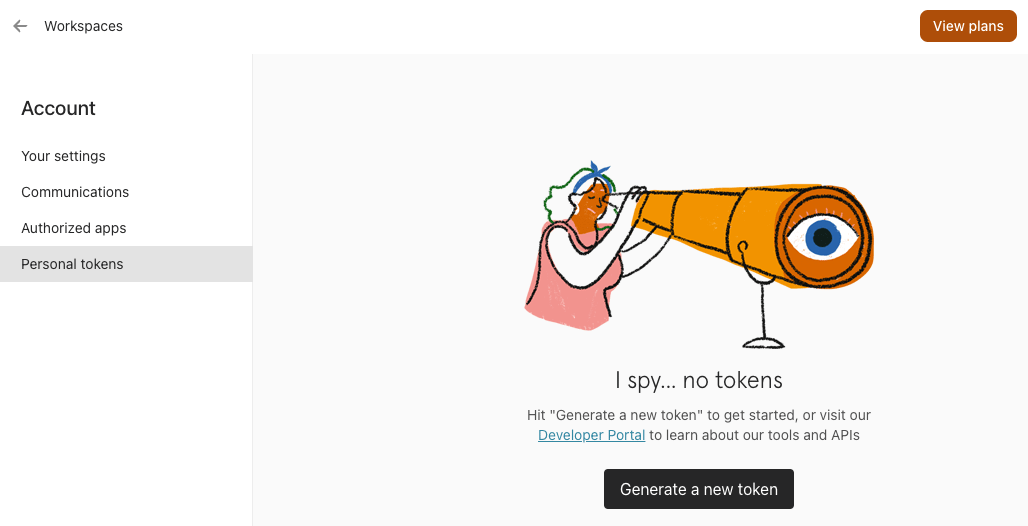
Personal tokens, then Generate a new token
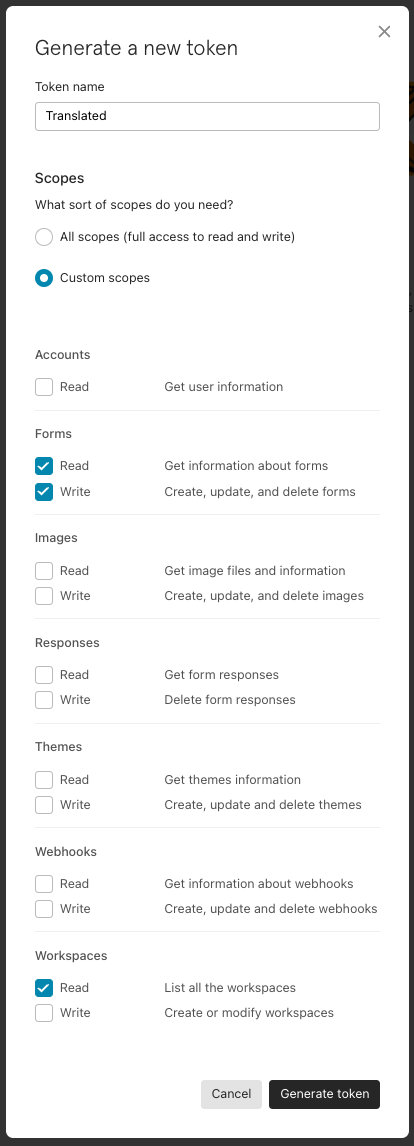
Name the token and set its scopes
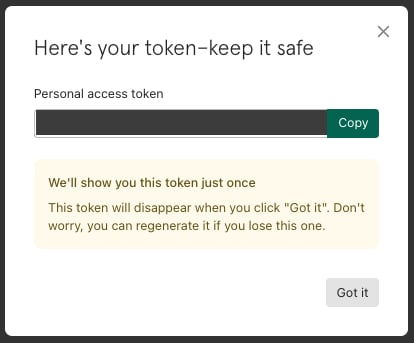
Copy it now. Typeform shows it once
3
Confirm your data centre
Tell Translated whether your account stores responses in the EU data centre. This determines which endpoints the connector uses.
4
Send the token to Translated
Send it securely to
api@translated.com.5
Agree service types
Translated configures the connector. See Service types.
Testing
Test with a published form that uses your normal question types, logic jumps, and variables, rather than a simple one. Forms with branching are where translation coverage is worth checking.Support
- General questions:
info-tos@translated.com - Technical questions and onboarding:
api@translated.com